Must-Support is the FHIR concept most often misread as "required." It is not. It is a signal to implementers that they need to be prepared to handle the element — but it does not obligate the sender to always populate it. That distinction matters, and mishandling it is the source of a real slice of interoperability friction. The site's R4 resource atlas marks Must-Support per element on profiled resources. For the wider FHIR framing, the FHIR engineering reference has more.
The Definition
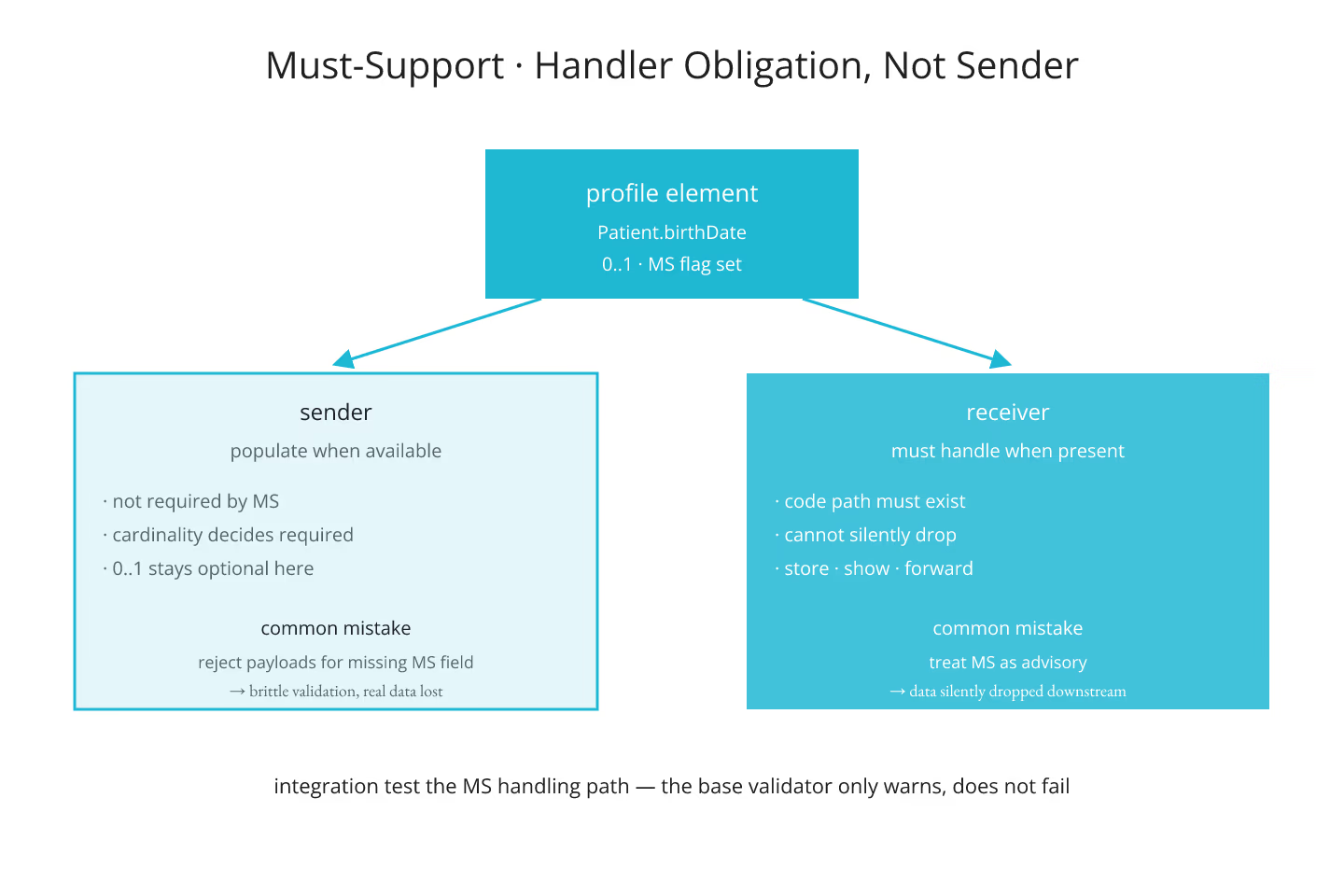
Must-Support is a flag on a profile element. When set, it tells the implementer:
- The sender may include the element
- The receiver must be prepared to accept and process the element
- The receiver cannot silently drop the element on receipt
It does not tell the sender that the element must be populated. That is what cardinality does — a 1..1 element is required regardless of Must-Support. Must-Support and cardinality answer different questions.
What Implementers Actually Do
On the sending side, Must-Support raises the priority of populating an element when the data is available. Not required, but strongly signaled. Teams that treat Must-Support as required end up with brittle profiles that reject payloads for missing optional data.
On the receiving side, Must-Support means the code path to handle the element has to exist. Ignoring the element on receipt is not compliant. Storing it, showing it, forwarding it — the specifics depend on the profile — but processing it in some meaningful way is required.
The Two Ways It Goes Wrong
- Treating Must-Support as required cardinality. Payloads get rejected for elements that should have been optional. Fixes: read the cardinality column separately from the Must-Support flag.
- Treating Must-Support as advisory. Receivers drop the element silently. Payloads look valid, but downstream data is missing. Fixes: build an integration test that sends Must-Support elements and confirms they land.
Neither mistake is loud on demo day. Both compound in production.
Profile-Specific, Not Base-Spec
Must-Support does not exist on the base R4 spec. It only lives on profiles. That is what lets US Core mark specific Patient elements as Must-Support without changing the base Patient resource for everyone else. For the mechanism, profiles and slicing at a glance is the entry.
Must-Support On Extensions
A profile can mark an extension as Must-Support. That signals the same handling obligation on the extension itself: receivers cannot drop it, senders should populate it when possible. This is a common pattern in US Core, where required extensions carry meaningful demographic data. For the extension mechanic, the extension model: when a FHIR resource is silent on your data is the entry.
How To Read It On the Element
The differential view of a profile marks Must-Support with a small "S" flag next to the element. Every element with the S needs code on the receiver. Every element without the S is optional in the FHIR sense — send if you have it, ignore if it is missing.
Testing Must-Support
Standard validator flags Must-Support-relevant issues at warning level, not error level. That is by design — the validator does not know what your receiver does with the data. Integration tests that specifically populate and consume Must-Support elements are the only way to know the pipeline actually handles them. For reading resource definitions in general, reading a FHIR resource definition the way developers read a class covers the mechanic.
The Short Version
Must-Support is a handler obligation, not a sender obligation. Cardinality decides what is required. Extensions can be Must-Support too. Test the handling path, do not just check the validator report.
Sources
- HL7 canonical R4 conformance rules section defining - HL7 canonical R4 conformance rules section defining mustSupport semantics